Payroll software
for business
Easily run payroll, save time and keep your business compliant.
Payroll software that’s easy and affordable
Running payroll online is one of the most important aspects of any successful business, but that doesn’t mean it has to be stressful. With first-class payroll automation software, you’ll experience peace of mind knowing you have the resources to pay your employees and taxes correctly and on time.
ADP’s payroll software automation features:
24/7 access from any device
A user-friendly interface
Automated features
Features and benefits
In the cloud – and beyond
More than half of small firms with five or more employees pay an outside firm to prepare their payroll, according to the National Small Business Association1. Discover how ADP’s payroll software can help you improve your business operations.
Automated systems and reports save time and reduce errors
Processing payroll online is simple with ADP. Our payroll systems automate labor intensive tasks, such as:
- Calculations
- Tax withholdings
- Paper checks
- Digital payments
In addition, you can store all your employees’ information in our web-based interface. This drastically reduces the mistakes that can happen when entering data on a repeat basis.
An online payroll system for seamless integration
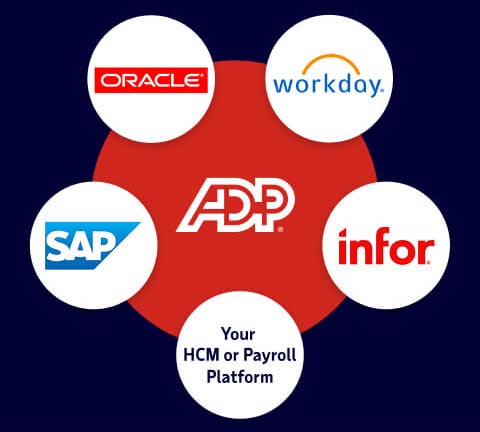
ADP’s payroll software easily syncs with time and attendance solutions and other human resource programs. So, from one place, you can manage not just payroll, but also benefits, employee absences, 401(k) contributions, insurance premiums and more.
Federal, state and local compliance
Never miss another filing with the government. Our payroll software makes sure all your paperwork is up-to-date and submitted on time. It also provides easy access to mandatory forms, such as W-2 and W-9, and notifies you about changes to minimum wage, tax codes and other regulations.
Support
When payroll issues arise, you need the right solution fast. ADP’s certified, experienced professionals are available to assist with all your payroll software needs.
Types of payroll automation software
ADP offers payroll automation software for businesses of all sizes – small, medium and large. Explore two of our more popular options below:
Built just for small businesses, RUN Powered by ADP® includes:
- Automated payroll
- Worry-free payroll tax filing
- Mobile access
Just right for growing organizations, ADP Workforce Now® includes:
- Automated payroll
- Payroll tax filing and compliance
- Mobile access
Payroll software 101
Processing payroll may not be the most exciting part of running a business, but ensuring it’s done right is critical. Learn the ins and outs of using automated payroll software.
What is payroll software?
Payroll software is cloud-based technology that allows employers to process payroll via web and mobile applications. It typically includes the following features, most of which are automated:
- Gross wage calculations based on hours worked
- Tax calculations, deductions and payments to government agencies
- Deductions for health insurance, retirement savings and other benefits
- Employee payments – paycheck, direct deposit, pay card
These capabilities are often backed by experienced payroll professionals who can help resolve issues and lend support with regulatory compliance.
How automated payroll software works
Payroll software automates the process of paying employees and filing taxes. Generally, employers only need to fulfill basic responsibilities, such as the following:
- Ensure that all employee data within the system is up to date
- Enter employee hours worked each pay period
- Approve payroll on time, i.e., hit “RUN”
Employers can simplify the process even further by integrating payroll with a time and attendance solution so that employee hours worked are automatically shared between the two systems. Many payroll software providers offer this capability.
Why businesses need automatic payroll software
Relying on spreadsheets or pen and paper methods to manage payroll can be labor-intensive and prone to errors. Automated payroll services, in contrast, offer a host of benefits:
- Save time – An automated payroll system alleviates administrative burdens and gives employers more time to focus on growing their business.
- Improve accuracy – Intelligent technology can flag potential errors before they happen, helping avoid costly mistakes.
- Reduce costs – When coupled with paperless payment methods, payroll software can help reduce overhead expenses, like paycheck printing and delivery fees.
- Increase satisfaction – Self-service tools allow employees to get answers to their pay and tax withholding questions faster.
How to choose the right payroll software
With dozens of companies on the market offering to automate payroll, how can business owners decide which one is right for them? It may help to evaluate potential providers based on three factors:
- Trust – Foremost, it’s essential to fully trust the company chosen to handle payroll and know that they have enough experience to do the job right.
- Service integration – Next, employers should evaluate how payroll can be integrated with other parts of their business to be as efficient as possible.
- Overall value – Finally, employers should consider the level of customer support they’ll receive, as well as any additional solutions the vendor can provide as business grows.
The future of payroll software
In the years ahead, generative artificial intelligence (AI) will continue to increase payroll accuracy by validating data and checking for common issues, like unapproved timecards and missing time entries. The experience is akin to having a payroll assistant available 24/7.
If the AI detects an error, it sends an instant notification to the payroll practitioner. Figuratively, it says, “Hi, you may have overlooked this issue. Let’s work together to solve it.” The practitioner can then choose to resolve the issue immediately or address it at a more convenient time.
Payroll software FAQs
- What does payroll software do?
-
Payroll software automates the most labor-intensive aspects of running payroll. Specific features vary from one provider to the next, but employers generally are be able to use software to:
- Calculate wages earned
- Integrate payroll with time and attendance
- Withhold taxes and other deductions
- Pay employees
- Run payroll reports
- Access important tax forms
Businesses that opt for full-service payroll may also receive professional assistance with regulatory compliance and have taxes filed on their behalf.
- What are the best payroll solutions?
-
No two payroll providers are the same, but most high-quality solutions generally can:
- Automate labor-intensive payroll and tax calculations
- Deposit tax payments on time
- Assist with inquiries from the IRS or state agencies, should they occur
- Help support compliance with constantly changing employment laws and regulations
- Integrate seamlessly with timekeeping, workers’ compensation, insurance services and other HR applications
- Provide support with unemployment claims
- Protect sensitive client payroll data
- What size organizations use payroll software?
-
Organizations of all sizes use payroll software, but what works for one may not be suitable for another. A small business may only need basic features that save time and help them with tax compliance. Larger corporations, on the other hand, tend to look for more advanced solutions that can integrate payroll with other HR systems or have advanced reporting capabilities.
- Can I do payroll without software?
-
Yes, payroll can be processed without software, but this is often a risky option for employers who don’t have the time or the accounting skills to do it correctly. The tax penalties that ensue from mistakes can quickly negate any savings achieved through DIY methods. For this reason, many businesses prefer to partner with a payroll service provider or explore outsourcing solutions.
- What do I need to run payroll at my company or organization?
-
Regardless of how employers choose to run payroll, whether through traditional bookkeeping or a software solution, the process requires a few basic elements to get started. These include:
- Federal and state employer identification numbers (EINs) for tax purposes
- Payroll schedules that meet state requirements, as well as the needs of the workforce
- A means of tracking employee time and attendance, especially if workers are hourly
- Payment methods and statements that comply with all state regulations
- A payroll manager to oversee the entire process of calculating wages and deductions, paying employees and filing taxes with government agencies on time
- What is the easiest payroll software to use?
-
Of the many types of payroll software on the market today, some are easier to use than others. Those that are user friendly will usually provide hands-on training, digital learning tools, dedicated account resources or in-product demos to ensure that their clients can run payroll as proficiently as possible. To make things even easier, payroll software may also be capable of integrating with timekeeping, insurance and retirement solutions, and other HR programs.
- How much does payroll software cost?
-
Payroll software costs vary depending on the number of people employed by the business, its individual needs and the provider’s price structure. An annual base price usually applies and there may be an additional fee for each payroll transaction. When weighing payroll software costs, it’s important to assess the level of support provided with the product and how well it can integrate with other programs.
- When can I begin using software for payroll?
-
With ADP, you can start processing payroll at any time, not just a new quarter or new year. If you’re switching providers, you can ease the transition process by asking for all the necessary forms and information upfront.
- Can I use this payroll software to run payroll internationally?
-
Not all types of payroll software can meet the complex needs of international businesses. Employers that pay employees in multiple countries generally require a payroll service provider that offers worldwide compliance expertise, on-demand analytics and reporting, and first-rate security measures. Some, like ADP, are also capable of unifying data into a single system of record, which helps make managing global payroll easier.
- What is the time commitment when processing payroll online?
-
Compared to manual data entry, online payroll software can save you considerable time. The features available in the package you choose will ultimately determine your total work effort.
- In the event of a catastrophe or local emergency, how will workers get paid?
-
You can process payroll anywhere because ADP products are in the cloud. So, even if you’re relocated from your place of business, ADP’s payroll software lets you easily use a mobile device to pay your employees.
- Can a payroll software service provider integrate with my accounting software?
-
ADP automatically syncs with many popular accounting software products, including QuickBooks™, QuickBooks™ Online, Xero™ and Wave, to ensure a seamless transition of your data. Check with a payroll provider to make sure they pair up with your preferred program.
- What if I’m already processing payroll with an accountant or bookkeeper?
-
Your accountant will probably appreciate that you’re using a trusted payroll service provider because it enables seamless data integration, reporting and payroll processing. This empowers accountants to do more work with greater efficiency, so they have more time to work on strategies that help you run a better business.
- Can I switch providers mid-year, and how long does setup take?
-
Though some companies prefer to wait until the start of a new quarter or new year before switching payroll providers, ADP can support your move at any time. We’ll give you a list of all the forms and information needed to ensure a smooth transition with minimal disruption to your day-to-day operations. The length of time required ultimately depends on your business priorities, the services you’re using and how quickly you can access the necessary data.
- How fast is direct deposit and are there fees?
-
Employees paid via direct deposit usually have access to their wages by 9:00am on payday, though processing times can vary depending on the sender and the bank. Some financial institutions charge fees for this service. Payroll providers typically include the incurred cost in their base price rather than treating direct deposit as an add-on.
- What integrations are available?
-
Payroll software is commonly integrated with general accounting ledgers, time and attendance systems and payroll-related benefits, such as health insurance and retirement savings plans. Providers who offer these integrations understand that an all-in-one ecosystem optimizes efficiency and improves the employee experience.
- Does payroll software support multi-state payroll?
-
ADP’s payroll software stays current with the latest tax laws and HR regulations at the federal level and in all 50 states. However, multi-state payroll processing may require employers to register their business in every state where they employ people. Learn more about navigating multi-state compliance requirements
- Does payroll software handle all payroll tax filings and payments (federal, state, local)?
-
Many automatic payroll systems include federal and state tax filing support, but not all of them assist with local taxes. These taxes are challenging because they can vary greatly from one municipality to the next and may change with little notice. Employers should ask potential providers about local tax support.
Payroll software testimonial
Payroll is so quick it saves me a ton of time. Setting up new employees is also obscenely simple. Everything from tax withholdings to direct deposits are done in 2 minutes, max. Such a time-saver that I don't need to hire an HR person or additional accounting person.
Daniel Ledbetter, Managing Director, Palmetto School of Career Development
Resources and insights
guidebook
How to choose a payroll provider for your business
guidebook
Payroll implementation guide
FAQ