insight
HCM software
Last updated: March 25, 2026
HCM software is people-centric technology that supports essential HR functions, such as payroll processing and benefits administration, and helps improve workforce productivity. Fully integrated solutions eliminate costly redundancies and synchronize data into a trusted source of decision-making.
HCM software key takeaways:
- HCM software can help employers improve workforce productivity, enhance employee experiences, minimize risks and make data-driven decisions.
- Must-have HCM features for businesses of any size include payroll, time and attendance, benefits administration, compliance, talent management and reporting.
- Choosing the most appropriate HCM software starts with identifying HR challenges, followed by creating a list of functional requirements and then assessing which providers deliver the features needed for long-term success.
- Employers can secure stakeholder support for HCM software by explaining how the technology will help support their individual goals and priorities.
Table of Contents
What is HCM software?
HCM software is technology designed to meet core HR needs, such as payroll, benefits administration, and regulatory compliance. It also helps organizations enact strategies for managing and supporting people in the following ways:
- Smoother processes – Simplifying workflows and reducing manual tasks with the aid of artificial intelligence.
- Self-service – Enabling employees to manage their own information and engage with the organization.
- Insights – Providing data for tracking performance and making informed decisions.
- Compliance ease – Helping employers stay on the right side of regulations while minimizing paperwork.
What are the benefits of HCM software?
HCM software solutions are like efficient coordinators, streamlining HR tasks for teams and individuals. Employers who use this technology may experience the following benefits:
- Enhanced productivity
HCM software automates workflows, reducing the effort required to stay compliant, relieving administrative burdens and improving bottom-line financial results. - Strategy-informed HR
By aligning HR practices with organizational goals, HCM software enables leaders to develop and implement initiatives that support the overall business strategy. - Improved employee experiences
Self-service portals, mobile access, AI assistants and intuitive interfaces empower employees to fulfill basic HR tasks, improving their engagement, satisfaction and efficiency. - Consistent compliance
HCM software supports compliance with labor laws, regulations and internal policies to help organizations keep pace with ever-changing legal requirements. - Data-driven approaches
With HCM software, employers can access analytics on workforce trends, performance and engagement to help make more informed decisions.

All the payroll and HR solutions you need, all in one platform
Simplify your payroll and HR processes with ADP's comprehensive solutions. Experience hassle-free, efficient HCM today.
Essential capabilities of HCM software
HCM systems have a variety of capabilities to tackle different organizational needs. But there are a few must-have functions employers should prioritize, no matter their size or industry:
- Payroll
- Time and attendance
- Benefits administration
- Talent
- Compliance
- Reporting and analytics
Payroll
Reliable payroll ensures that employees are paid correctly, trust is maintained and any potential compliance risks are reduced. Key capabilities include:
- Automated payroll calculations and tax deductions
- Integrations with time and attendance to improve payroll accuracy
- Compliance support with tax laws and labor regulations
- Flexible pay options to meet employee needs
- Self-service so employees can access their pay and tax records
Time and attendance
Accurate employee time and attendance tracking supports productivity and compliance. Key capabilities include:
- Timekeeping features, like clock-in/clock-out, time sheets, paid time off and leave tracking
- Scheduling creation, shift swapping and alignment of staffing with workload peaks and lulls
- Overtime analysis and alerts and assistance with labor law compliance
- Self-service so employees can view schedules and request time off
Benefits administration
HCM software should effectively support employee health and financial wellness to enhance engagement. Key capabilities include:
- Administration of both traditional and voluntary benefits
- Simplified open enrollment processes
- Automated payroll deductions for benefit contributions
- Employee eligibility verification
Talent
Talent technology plays a crucial role in HCM by helping attract, engage, develop and retain top talent. Key capabilities include:
- Candidate sourcing and applicant tracking tools
- Easy-to-use onboarding technology
- Salary benchmarking
- Training and career development
Compliance
Whether a business is local, global or somewhere in between, its HCM provider should help it maintain compliance in all applicable geographies. Key capabilities include:
- Consistent, reliable updates of regulatory changes
- Real-time alerts and notifications of potential compliance risks
- Experts who interact with agencies on the employer’s behalf
- Unemployment claims administration
- General Data Protection Regulation (GDPR) compliance
Analytics and reporting
In an increasingly data-rich world, an HCM system’s ability to yield accurate and actionable insights can set businesses apart from their competition. Key capabilities include:
- Data that is accessible and easily understood by non-technical audiences
- Integrations between HCM data and other business metrics
- Predictive analytics that enable modeling and forecasting
- Valuable insights on employee attendance, performance and compensation
- Industry-wide data for benchmarking
How to choose HCM solutions
Selecting the HCM software that best aligns with an organization’s HR strategies and goals requires a structured approach. There are generally four steps:
- Identify the problems that must be solved
- Explore the features that will address those problems
- Further evaluate providers that meet needs and budgets
- Choose an HCM solution
Step 1: Identify the problems HCM software can help solve
Constructing a business case for an HCM solution starts with asking questions, such as:
- What are the most pressing issues?
- How has the organization addressed them with existing resources?
- Why didn’t it work, or why won’t it work in the future?
The answers will show why legacy technology or processes may be holding back organizational progress. Key stakeholders should be involved in these conversations to ensure they support the project from the outset.
Step 2: Explore HCM functions and features that will address the problems
Employers should fully understand their HCM requirements prior to contacting potential providers. Doing so helps ensure that discussions are relevant to the organization’s needs instead of what’s trendy. In addition to the features already covered, employers may want to prioritize the following:
Employee information management
At its core, an HCM system is the central repository for employee data, including personal information, work history, skills and certifications. It should facilitate easy updates, secure access and data privacy for all types of workers the organization engages with – full-time, part-time, contingent, etc.
User experience
HCM software should simplify work, not complicate it. Well-designed systems offer mobile accessibility, user-friendly interfaces and customizable or personalized options that enhance engagement, efficiency and satisfaction.
Data security and privacy
Safeguarding sensitive HCM information usually requires encryption, access controls, multifactor authentication, activity logs and audit trails. To ensure privacy, solutions may feature data anonymization, consent management and data subject rights support.
Integrations and scalability
Effective HCM software seamlessly integrates with other systems, like enterprise resource planning (ERP), and ensures smooth data flow between them. Providers with strong application program interfaces (APIs) can help make these connections.
Implementation and training
Improving adoption and maximizing an HCM system’s effectiveness requires an implementation plan that includes project management and data migration. Employers should also evaluate the level of support that will be provided during the transition, such as on-site or virtual training, product manuals and dedicated specialists.
Step 3: Evaluate providers that meet requirements
Shortlisting providers and demoing their products can help employers better understand a system’s capabilities, assess its suitability for their unique needs and make an informed decision based on firsthand experience. They can then submit requests for proposals (RFPs).
Shortlisting
Shortlisting makes HCM software evaluations more manageable and maximizes the time invested. Employers should narrow the list of prospective providers based on how well they meet the functional requirements established in the preceding step. A short list of five to 10 vendors is ideal.
Product demonstrations
Product demonstrations provide an opportunity to see HCM software in action and assess its functionality, user interface and overall user experience. An initial demo typically runs 30 to 45 minutes and provides a high-level overview of the solution. After narrowing down providers, employers might request a follow-up demo that delves deeper into the software or is customized to individual use cases.
Requests for proposals
RFPs summarize functional requirements and allow providers to respond with pricing and tailored solutions. This process helps further develop vendor relations, though it can be time-intensive, which is why employers typically limit RFPs to three to five potential partners.
Step 4: Choose an HCM solution
Selecting an HCM solution from amongst the finalists comes down to re-evaluating all relevant factors, including alignment with functional requirements, budgetary constraints and stakeholder feedback. Stakeholders may expect the rationale behind the ultimate decision to be explained to them, along with the next steps for implementation.
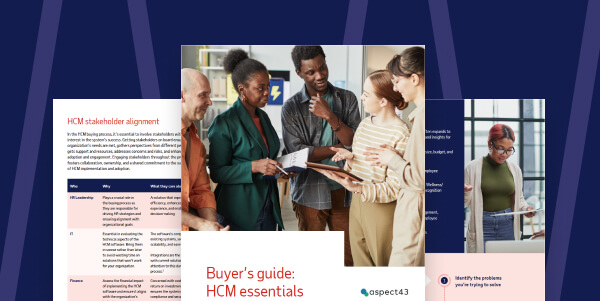
Explore HCM buyer’s guide
How to secure stakeholder buy-in for HCM software
During HCM software evaluations, employers must be prepared to address stakeholders’ questions, concerns and objections. Doing so requires an understanding of the key considerations in each stakeholder’s functional area and how a new HCM solution could support their goals and priorities.
Stakeholder considerations
Below is a list of stakeholders and what each of them might value in an HCM system.
Executive leadership
- Maintaining productivity and competitive advantages
- Supporting digital transformation efforts
- Solving existing or anticipated problems
Information technology
- Integrations with existing systems and programs
- Data security and privacy law compliance
- Resources necessary for implementation, training and adoption
Finance
- Keeping costs down while continuing quality
- Data timeliness
- Impacts on efficiency and budget
- New HCM metrics or analytics that affect financial reports
Human resources
- New workforce insights and reports
- Improving HR processes for individuals and teams
- Reducing administrative burdens
- Supporting compliance with employment laws
Procurement
- Obtaining the best value for the investment
- Meeting vetting processes and requirements
- Compatibility with other contracts, licenses, requirements and planned purchases
What to present to stakeholders
The following collateral may prove helpful when seeking consensus from stakeholders:
- Calculations of the potential return on investment (ROI)
- Grids comparing different functionalities, vendor costs and any third-party fees
- Pros and cons of how a new HCM system will affect stakeholder workflows
- The types of data available and how it can be accessed and used
Preparing for HCM implementation
Planning in advance for HCM implementation helps prevent undue strain on technical resources.
Before signing a contract:
- Be wary of vendors that require payment prior to the start of implementation
- Estimate if implementation fees fall within the available budget
- Verify protection from unexpected costs, such as those from a third-party integrator
Before implementation kickoff:
- Request a sample project plan
- Inquire about data conversion, third-party integration and milestones
- Develop a change management strategy
- Secure executive sponsorship and a network of change champions
Why choose ADP HCM
ADP HCM software is built to help employers deliver more without having to do more. In fact, four out of five clients say that ADP has made their jobs easier.1
Our all-in-one HCM solutions offer the following:
- Payroll – Process payroll precisely while supporting tax compliance and giving employees flexible pay options.
- Workforce management – Automate timekeeping, attendance tracking, employee scheduling and management reporting.
- HR – Help inform confident, actionable decisions with validated survey templates or create your own.
- Talent – Streamline sourcing, automate workflows and cut time-to-hire with AI-powered tools and integrations.
- Benefits administration – Easily create benefit plans, simplify open enrollment and improve participation rates.
- Employee experience – Empower employees with access to their payroll and HR needs in a single mobile experience
Frequently asked questions about HCM software
What is the role of HR in human capital management?
HR’s objective in HCM is to hire the right people, manage the workforce effectively and optimize productivity. Thanks to advancements in HCM software that automate manual tasks and support compliance, this role has evolved from a mostly administrative function to a strategic enabler of business value.
How do I choose the right HCM system?
When acquiring HR technology, the aim should always be adoption to guarantee long-term success and full value. This often difficult task can be simplified by breaking the decision-making process into a few key areas:
- Understanding the overall strategy – Create a business case for how a HCM software can help overcome the organization’s HR challenges.
- Researching and planning – Peruse buyer’s guides and product demos, read reports and case studies, and refine requirements.
- Evaluating and selecting – Make a checklist of stakeholder requirements and then assess how well potential HCM solutions meet those needs.
- Implementation and change management – Consider how the provider plans to ensure a successful roll-out of the new HCM system.

Want more exclusive business insights like this delivered to your inbox?Subscribe now
- 2024 survey of 510 ADP Workforce Now® clients
This article is intended to be used as a starting point in analyzing HCM software and is not a comprehensive resource of requirements. It offers practical information concerning the subject matter and is provided with the understanding that ADP is not rendering legal or tax advice or other professional services.